Are Smart Bird Feeders Worth It? What to Know Before You Buy
This post contains affiliate links. If you buy through them, Birdstyl may earn a small commission at no extra cost to you. Read our Affiliate Disclosure.
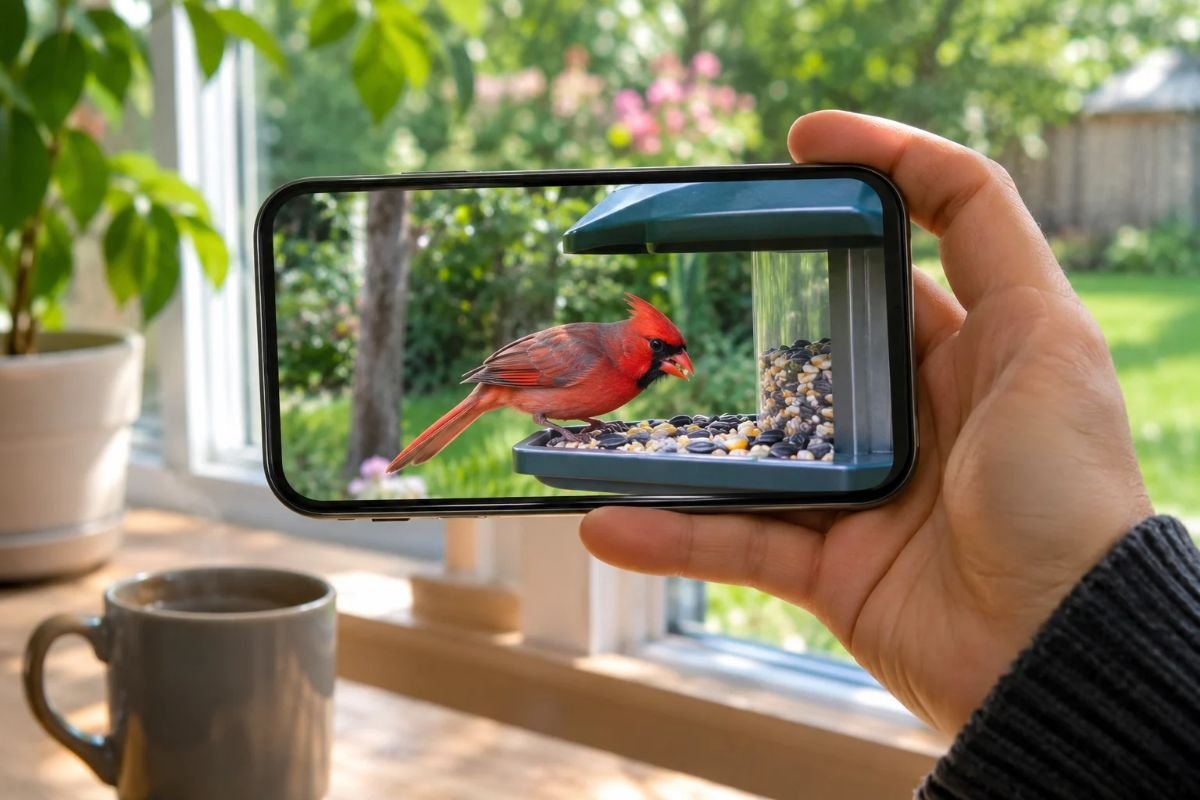
A few years ago, watching backyard birds meant sitting by the window with binoculars and hoping the right bird showed up while you were looking. Smart bird feeders have changed that. These feeders have a small camera built in, and they send photos and video clips of each visitor straight to your phone, even when you are at work or on vacation.
They are fun, but they are not cheap, and they are not the right choice for everyone. This guide explains how smart bird feeders work, what they do well, where they fall short, and which features to check before you buy one. The goal is simple: to help you decide if a camera feeder is worth it for your yard and your budget.
What Is a Smart Bird Feeder?
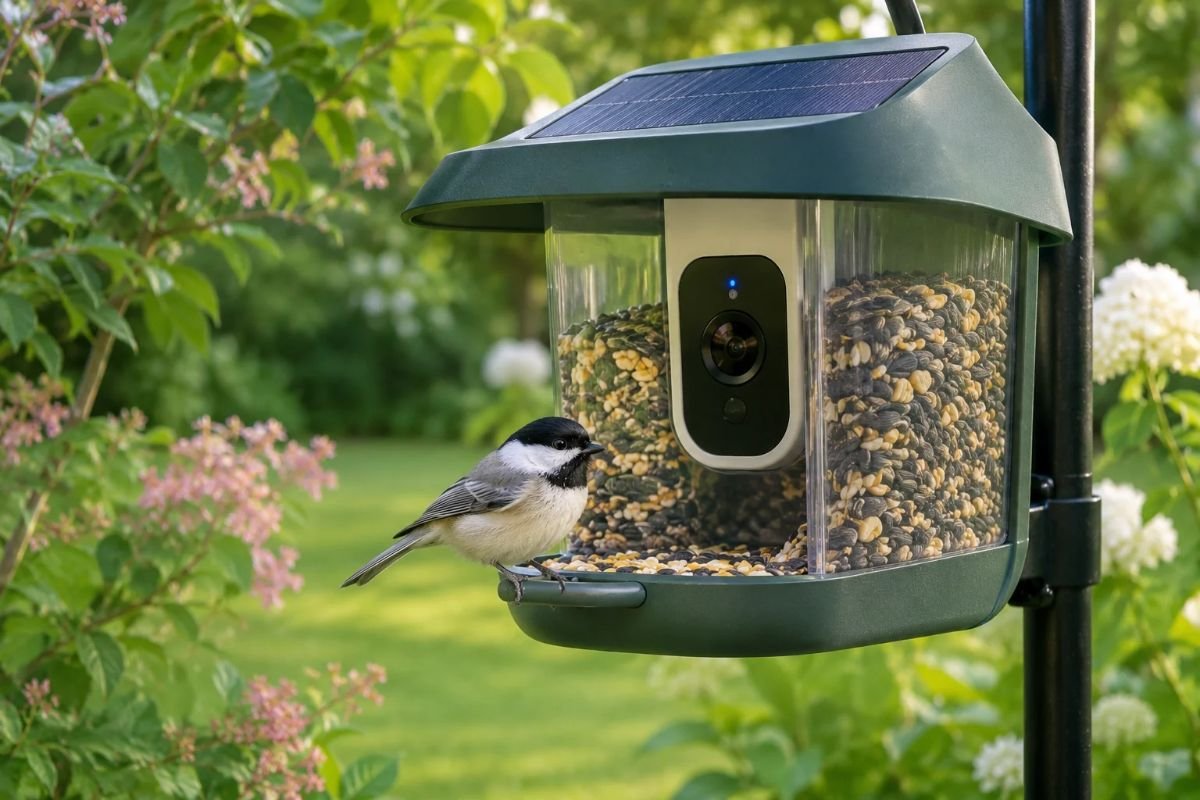
A smart bird feeder is a regular seed feeder with a camera, a battery, and a Wi-Fi connection added to it. When a bird lands, a motion sensor wakes up the camera, which records a short clip or takes photos. The feeder then uploads the footage to an app on your phone and sends you an alert, so you can see who came to eat.
Most models look like a small hopper feeder with a perch in front of the lens. Some also offer a live view, so you can open the app and watch the feeder in real time. Many brands add artificial intelligence (AI) that tries to recognize the bird species in each clip and label it for you.
The feeder part still works like any other feeder. You fill it with seed, birds eat, and you clean it regularly. The camera simply lets you see what happens when you are not there.
What Smart Bird Feeders Do Well
The biggest advantage is close-up views that are hard to get from a window. Birds land a few inches from the lens, so you can see feather details, color patterns, and behavior that are hard to notice from across the yard.
Here are the main benefits owners enjoy:
- You stop missing visitors. The camera records birds that come while you are busy, asleep, or away from home.
- You learn your backyard birds. Species labels and clips sorted by bird make it easier to put names to the faces you see every day.
- It is great for families. Kids and grandparents can share clips and follow the same feeder from different homes.
- You notice patterns. Over a few weeks, you start to see which birds come early, which ones visit in groups, and how visits change with the seasons.
For many people, a camera feeder turns casual bird watching into a real hobby. If you have ever wondered which bird empties your feeder before noon, a smart feeder can answer that question.
The Downsides to Know Before You Buy
A fair look at smart feeders has to include their limits. These are the most common ones:
- Price. A camera feeder costs much more than a basic feeder. Prices change often with sales, so compare a few models before you decide.
- Wi-Fi range. The feeder needs a steady Wi-Fi signal where you mount it. A spot at the far end of a large yard may not work without a range extender.
- Charging. Battery models need to be recharged from time to time. A solar panel can reduce this, but cloudy winters may still require a charge.
- AI is not perfect. In its testing of the Birdfy Feeder 2 Duo, TechRadar found species identification broadly reliable but not infallible. Expect a wrong label now and then, especially with similar looking birds or poor light.
- Squirrels. TechRadar also noted that the camera feeder it tested was not squirrel proof, even with an alarm and a feed guard. Squirrels may still raid it.
- App plans. Some features may require a paid plan. Read what the free app includes before you buy.
None of these are deal breakers for most people, but they are worth knowing so the feeder matches your expectations.
Features to Compare When Choosing a Camera Feeder
Once you decide a smart feeder fits your plans, these are the features that make the biggest difference in daily use.
Camera quality. Many smart feeders record in 1080p, which gives clear clips on a phone screen. A wide-angle lens shows more of the feeder, so you see birds waiting their turn as well as the one eating. Some models offer two lenses for different angles.
Weather resistance. The feeder will sit outside through rain, snow, and summer heat. Look for an IP rating, which tells you how well a device resists water and dust. For example, Birdfy lists an IP66 rating for the camera and housing on its Feeder 2. Also check the working temperature range if your winters are very cold.
Power options. Decide between a battery you recharge or a model with a solar panel. Solar is convenient if the feeder gets several hours of direct sun.
The app and its plans. The app is where you will spend most of your time, so it matters as much as the camera. Check which features are free, such as live view, alerts, and recorded clips, and which ones need a subscription. Policies change: Birdfy announced in November 2026 that automatic species identification would become free for life on its devices, while some extra features stay in paid memberships. Confirm the current terms on the product page before you order.
Feeder size and perch. Larger birds like cardinals and jays need a roomy perch and tray. A feeder that suits only small birds will limit what you see on camera. If cardinals are on your wish list, our guide on how to attract cardinals to your backyard explains the seeds and setup they prefer.
Easy cleaning. A feeder that comes apart easily is one you will actually clean. Look for wide openings and a seed tray that slides out.
Where to Place a Smart Bird Feeder
A camera feeder has one extra placement rule compared with a regular feeder: it must stay within reach of your Wi-Fi. Before mounting it, walk to the spot with your phone and check that the signal is strong.
The usual bird safety rules still apply. Audubon recommends the “rule of 3 or 30” for feeders and birdbaths: place them within 3 feet of a window or more than 30 feet away, so birds leaving the feeder are less likely to hit the glass hard. Put the feeder near shrubs or small trees, so birds have cover close by, and keep it at a height where you can reach it easily to refill and clean.
Think about light, too. A camera facing straight into the morning or evening sun may produce dark or washed out clips. A spot where the sun shines on the birds, not into the lens, usually gives better footage.
What to Put in a Camera Feeder
The seed you choose decides which birds you will see on camera. Black oil sunflower seed is a strong first choice because so many backyard birds eat it, from chickadees and titmice to cardinals and finches. Adding some safflower can help bring in cardinals and other big-billed birds.
Avoid cheap mixes full of filler seeds that birds kick out onto the ground. They waste money and create a mess under the feeder. For a full list of foods by season, see our guide on what to feed birds in winter.
Keep the Feeder and Camera Clean
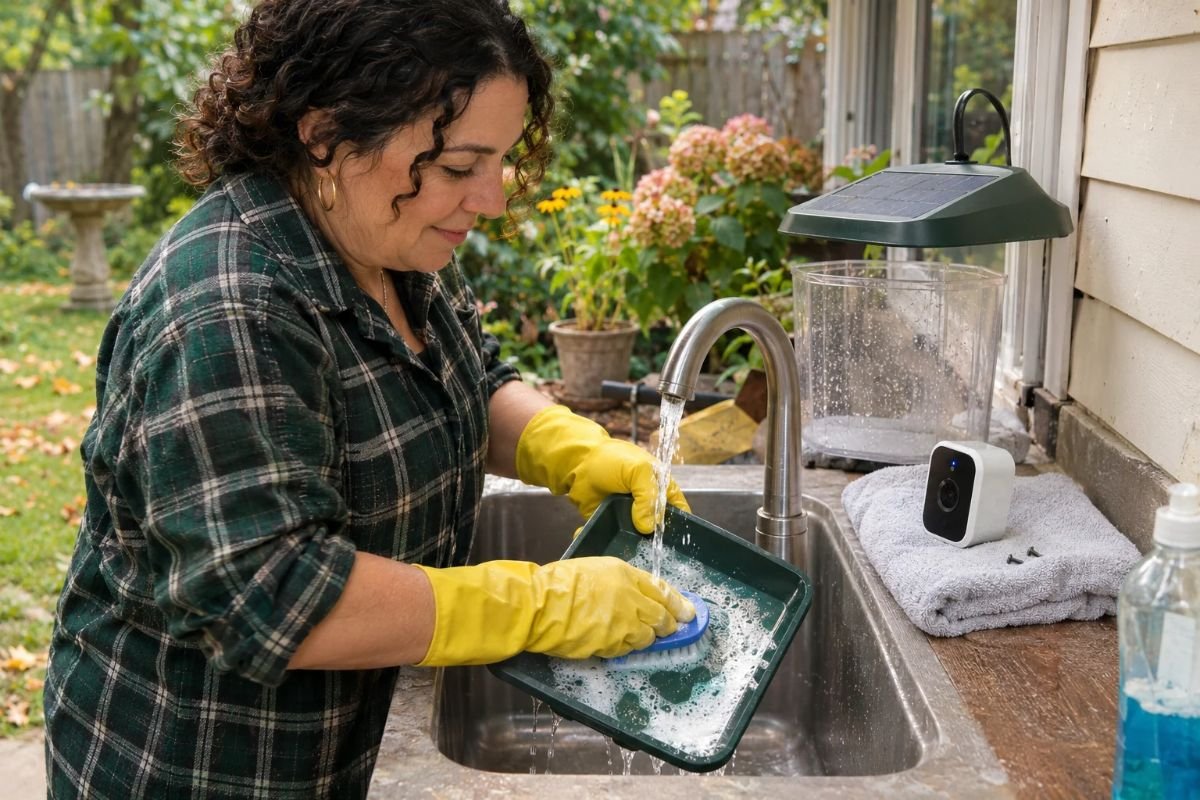
A camera does not change the basic rules of bird feeder hygiene. The Cornell Lab of Ornithology suggests cleaning feeders about every two weeks, and more often in warm weather or when many birds are visiting. Dirty feeders and wet, moldy seed can spread disease between birds.
With a smart feeder, remove the camera module first if the design allows it, then wash the feeder parts and let them dry completely before you refill. Wipe the camera lens gently with a soft, dry cloth so your clips stay sharp. Follow the cleaning instructions in your feeder’s manual, since electronics and water do not mix well.
So, Is a Smart Bird Feeder Worth It?
A smart bird feeder is worth it if you love seeing birds up close, you are often away from the window, or you want to learn the names of the birds in your yard. It is also a wonderful gift for a family member who enjoys nature but cannot get outside as often as they would like.
It may not be worth it if your budget is tight, your yard has weak Wi-Fi, or you mainly want to feed birds without watching them. In that case, a simple hopper or tray feeder does the job for much less money.
If you decide to try one, start with a model that matches your yard and the birds you hope to see. You can compare the Birdfy smart bird feeder lineup to look at camera options, solar models, and app features side by side.
Quick Checklist Before You Buy
- Check that your Wi-Fi reaches the spot where the feeder will hang.
- Decide between a rechargeable battery and a solar panel.
- Look for 1080p video, a wide-angle lens, and a clear weather rating.
- Read which app features are free and which need a plan.
- Choose a perch and tray large enough for the birds you want to see.
- Make sure the feeder comes apart easily for cleaning.
- Plan your placement: near cover, and within 3 feet or beyond 30 feet of windows.
Tick these boxes and you will be ready to enjoy front row seats to your backyard birds. When you are ready to choose, a camera bird feeder from Birdfy is one option worth comparing with the checklist above.
Sources
- TechRadar: The Best Bird Feeder Camera for Birdwatching at Home (techradar.com)
- Gear Diary: Birdfy Makes Bird Species Identification Free for Life (geardiary.com)
- Birdfy: Feeder 2 Smart Bird Feeder product page (birdfy.com)
- Audubon Upper Mississippi River: Feeder Placement (audubon.org)
- Cornell Lab of Ornithology: Winter Bird Feeding, PDF guide (allaboutbirds.org)
- Project FeederWatch: Food Types (feederwatch.org)